Filmmaking workflows
Can AI Make a Movie? A Practical Short-Film Workflow
Plan an AI-generated short film from script to final cut. Learn where continuity, dialogue, editing and sound need deliberate decisions before scaling to a movie.
AI tools can generate material for a movie, but generating clips and making a coherent film are different tasks. A practical workflow still needs a script, shot planning, continuity, performances, an edit and sound. Begin with a short sequence that proves the story works before committing to a long film or promising a client a complete movie from one prompt.
What should the first AI short film attempt prove?
Choose one visible change in one location. For example, a courier arrives at a locked door, notices a light inside and decides to wait. This is an illustrative exercise, not a description of an existing portfolio production. The audience should understand the change without an explanation from the filmmaker.
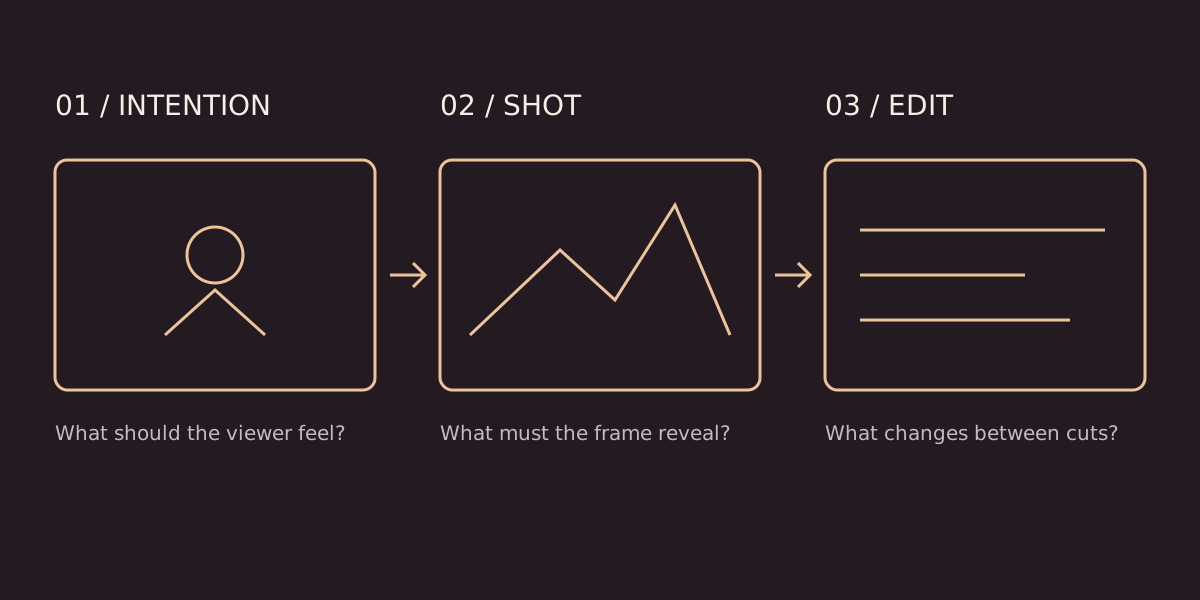
Write six to eight shots before selecting a model. Decide what each shot contributes: location, intention, obstacle, new information or reaction. If two shots do the same job, consider removing one. A short film benefits from a sequence of meaningful decisions more than from a collection of unrelated beautiful images.
How do you keep a character consistent?
Create an approved reference sheet covering appearance, costume, props and the environment. Record the time of day and screen direction. Compare every selected take against those references. If the courier's bag changes shape between shots, stronger colour grading will not solve the continuity problem.
Keep filenames tied to scenes and shots, with separate versions for approved references and experiments. Record why a take was rejected. Consistent organisation makes a replacement shot easier to request when the edit reveals a missing reaction or an unclear action.
Should dialogue be generated before the pictures?
For a dialogue-led scene, first establish the words, performance intention and timing with a rough sound pass. This helps determine shot length and where a reaction belongs. For a visually driven scene, an animatic can establish the sequence before voice is added. Choose the order based on what carries the story.
Do not add dialogue only to explain an action that the images fail to communicate. A pause, glance or insert may solve the storytelling problem more cleanly. If using a synthetic voice or likeness, confirm the relevant permissions before production.
What does a reliable production sequence look like?
- Script: define the action and the change in the scene.
- References: approve character, setting and key props.
- Animatic: arrange rough frames with temporary timing.
- Production: generate and review shots individually and in sequence.
- Edit: refine pacing, continuity and the meaning of each cut.
- Finish: balance sound, match colour, add captions and verify exports.
Hold a review between these stages. The exact schedule depends on the brief; the list is a decision order, not a guaranteed turnaround time. Keep a small contingency for shots that require a different method.
Can the same process scale to a feature film?
The planning principles scale, but complexity grows with locations, recurring characters, dialogue and the number of revisions. Test the hardest recurring requirement before budgeting the whole story. An isolated excellent clip does not establish that a feature-length production can maintain the same quality.
Build a sequence-level proof first: one conversation, one location transition or one recurring action. Review it in context and document the assets and steps needed to repeat the result. A film's feasibility depends on the complete workflow, not just the latest generator demonstration.
Start with the six-shot film planning exercise, use the camera prompt guide for clearer framing, and estimate resources with the AI video budget worksheet. The micro-drama service explains how to discuss a narrative brief.